
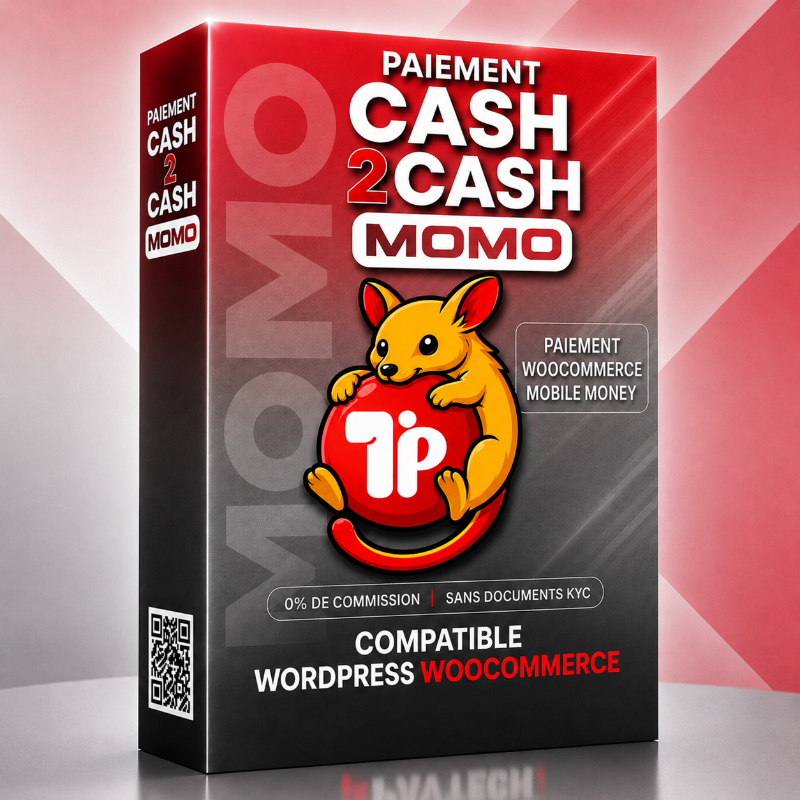

Cash2Cash Momo : Mobile Money Payment for Woocommerce
Le prix initial était : 99.900 CFA.79.900 CFALe prix actuel est : 79.900 CFA.
Cash2Cash MoMo Standard is a Mobile Money payment gateway for WooCommerce that allows you to accept MTN MoMo, Orange Money, Moov Money, Airtel Money, Mixx Money, Wave Money, Telecel Money and Celtiis Cash payments without an API on WordPress sites.
Cash2Cash Momo is a solution that allows your WooCommerce store to accept Mobile Money payments from 8 different operators directly on your website.
Why choose Cash2Cash Momo for WooCommerce?
Cash2Cash Momo simplifies Mobile Money integration with WooCommerce. Unlike API-based solutions, this plugin allows you to accept payments directly to your Mobile Money account while maintaining control over your transactions.
This payment gateway offers a simple, reliable, and cost-effective way to integrate Mobile Money with WooCommerce.
Cash2Cash Momo is compatible with the following major Mobile Money networks:
– MTN (MoMo)
– Moov Money
– Celtiis Cash
– Orange Money
– Airtel Money
– YAS (Mixx Money)
– Telecel Money
– Wave Money
STANDARD VERSION FEATURES
– Guided checkout process with a progress bar for a seamless user experience.
– Payment instructions provided to the customer to facilitate order completion.
– Payment confirmation via proof of payment and customer entry of the transaction ID.
– Automatic order status hold.
– Ability to receive payments to MTN, Moov, Celtiis, Wave, Orange, Airtel, and other Mobile Money accounts.
– Display of payment information directly on the WooCommerce order form.
– Payment processing and order validation after verification of the transaction ID and proof of payment on the WooCommerce order form, in addition to checking your Mobile Money balance.
USE CASES
E-commerce stores.
Sales of physical products.
Sales of digital products.
Service providers.
Training, booking, and ticketing.
For a fully automated experience, discover Cash2Cash Momo Ultimate (Available soon).
The Ultimate version automates payment verification, confirms transactions in real time, automatically updates WooCommerce orders, and offers an instant checkout experience for digital product stores as well as those with higher sales volumes.
TECHNICAL SUPPORT
Our customer support team is responsive and available to answer your questions and assist you with the installation and use of our payment solutions.
Cash2Cash MoMo is a WooCommerce payment gateway that allows you to accept Mobile Money payments directly on your online store, without an API and without commissions on your sales. It supports several African operators, including MTN MoMo, Orange Money, Moov Money, Airtel Money, Mixx Money, Wave Money, Telecel Money, and Celtiis Cash. No. Cash2Cash MoMo Standard works without a merchant account, API, or complex integration. You simply use your personal Mobile Money number or your business merchant account to receive payments. The plugin is compatible with: MTN MoMo Toggle ContentNo. Cash2Cash MoMo Standard does not charge any commission on your sales. After purchasing the license, all payments are received directly into your Mobile Money wallet. Toggle ContentYes. The plugin is designed to work with most WordPress sites using WooCommerce and is compatible with modern WooCommerce themes. No development knowledge is required for its installation and configuration.Cash2Cash Momo
Orange Money
Moov Money
Airtel Money
Mixx Money
Wave Money
Telecel Money
Celtiis Cash
We're glad you've joined us and are interested in Cash2Cash Momo Standard. We hope this installation guide will encourage you to complete your purchase.
Before we begin
Please note that Cash2Cash Momo Standard is not a standalone application. It is a payment gateway that complements WooCommerce, and you will need the latest version to use its features.
As part of our product support, we have provided a comprehensive guide. Simply follow this step-by-step guide to install Cash2Cash Momo Standard and start accepting payments on your e-commerce site via MTN MoMo, Moov Money, Orange Money, Airtel Money, Mixx Money, Wave Money, Celtiis Cash, and Telecel Money.
Features and Benefits
- Accept customer payments via mobile money.
- Two-factor authentication (Transaction ID and Proof of Payment)
- Automatic storage of proofs of payment
- Instant payment receipts
- API-free installation
- 0% commission on your sales
- Intuitive interface with progress bar
Requirements:
- A functional WordPress website
- The WooCommerce plugin installed and activated
- A recent version of PHP (ideally PHP 8.0 or higher)
- An active mobile money account to receive payments on MTN, Moov, Airtel, Orange, Wave, Telecel, Mixx, or Celtiis.
Installation :
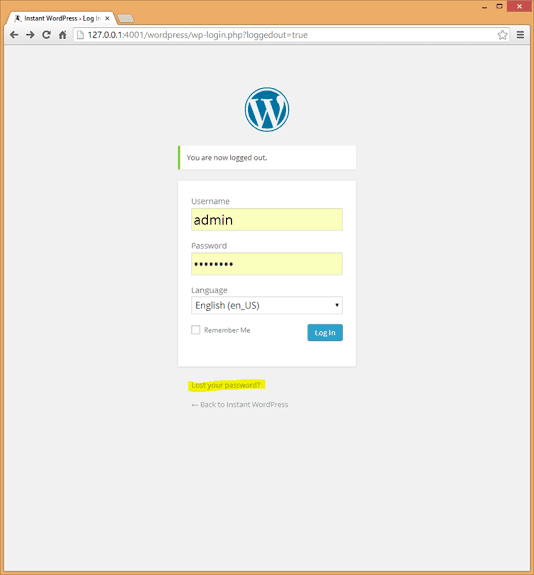
Log in to the admin area of your WordPress site.
Move the cursor over Extension and click on add extension.
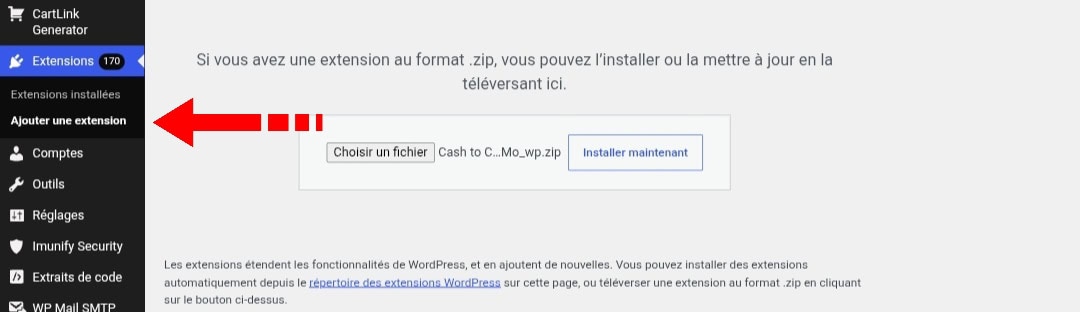
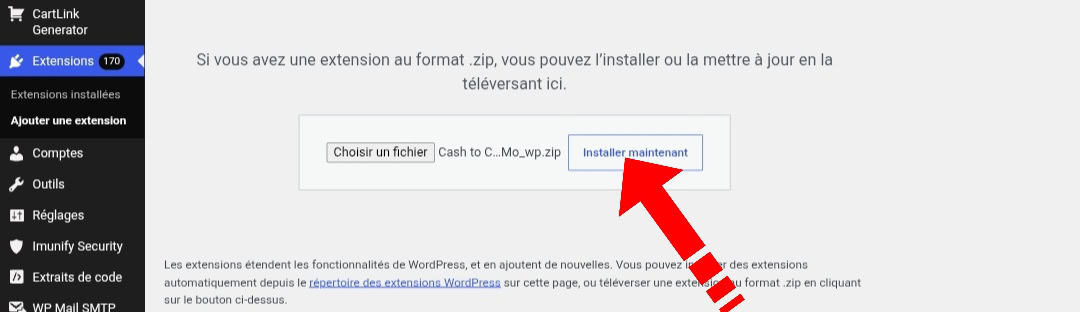
Click on upload file and add the Cash2Cash Momo zip file downloaded after purchasing the plugin.
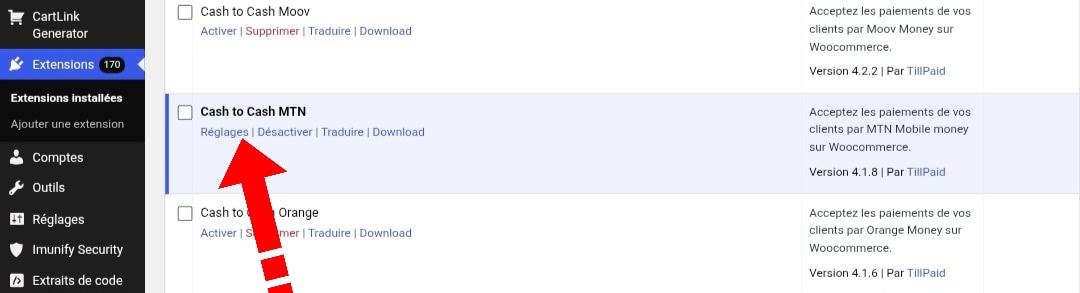
Activate the plugin after uploading, then click on settings.
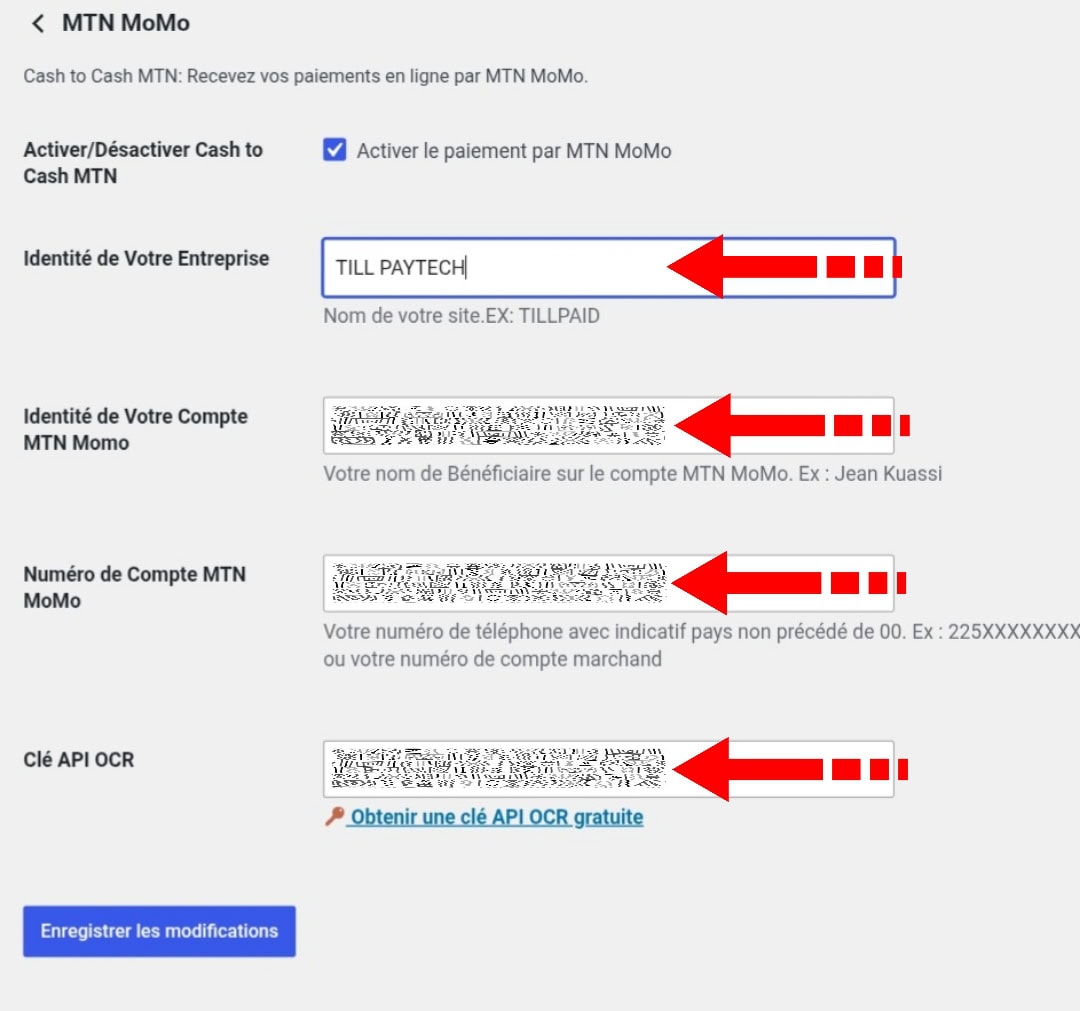
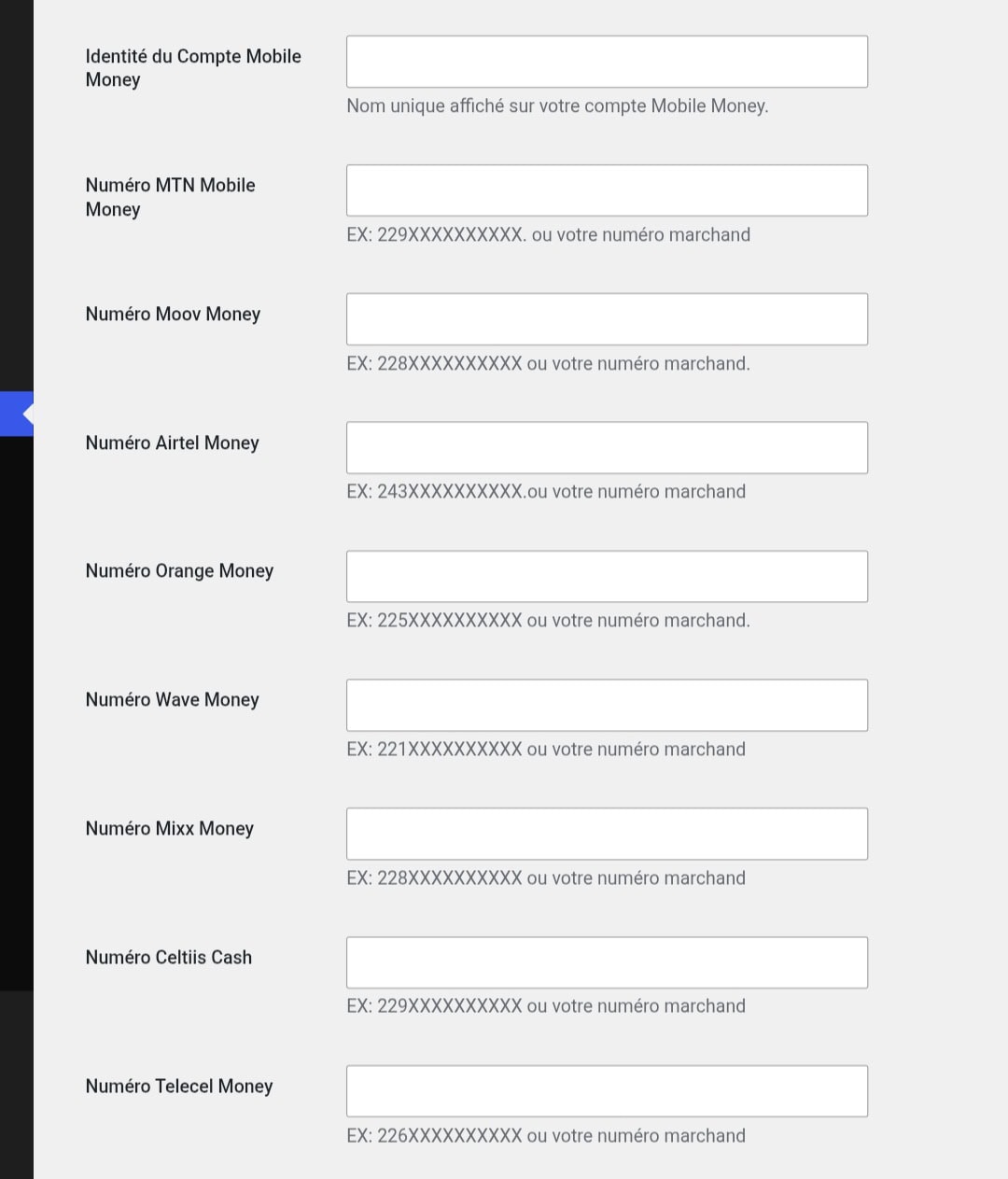
Configure the required data in the WooCommerce settings > checkout
Important !
Check the "Activate" box for Cash2Cash Momo to make the payment method visible to the customer.
Cash2Cash Momo Setup
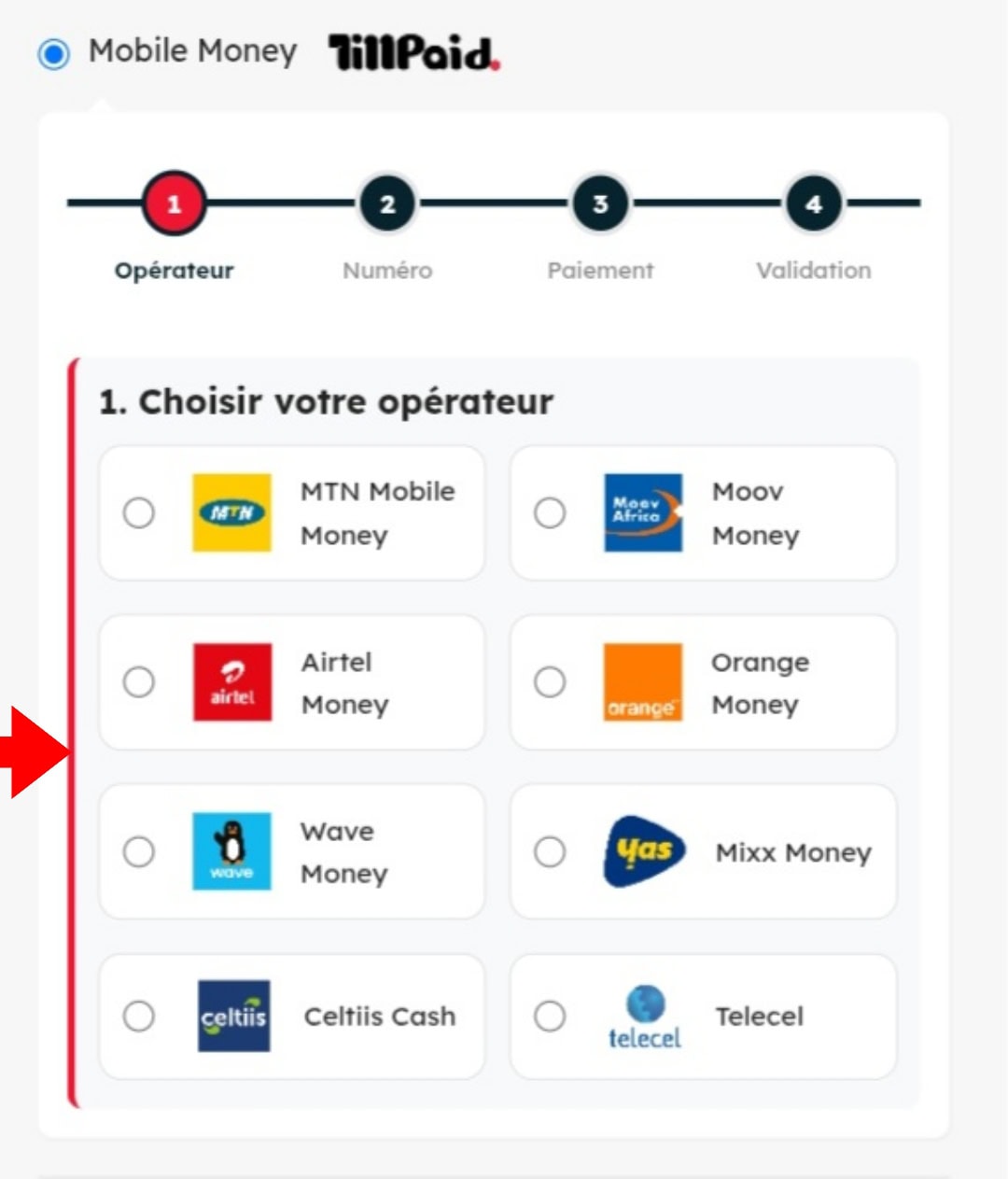
Mobile Operator Selection
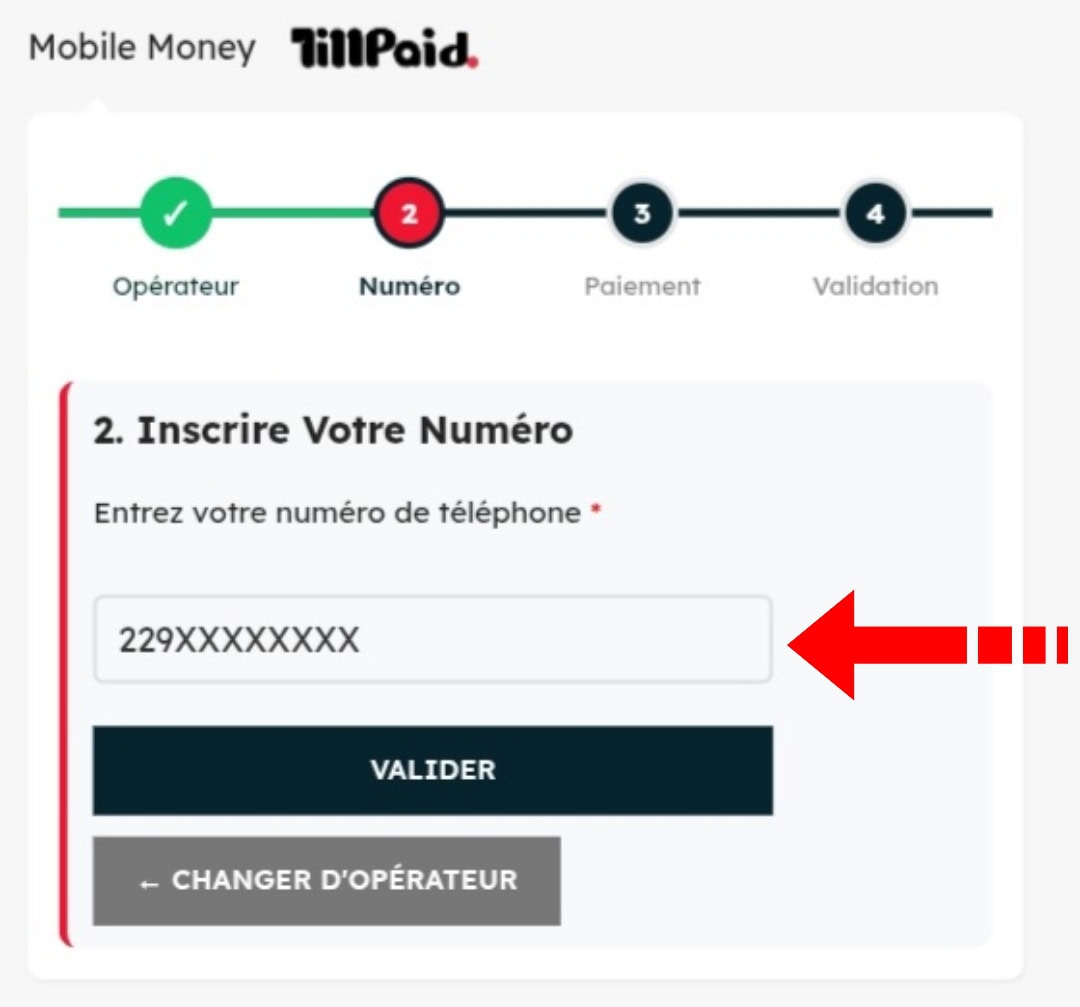
Étape de saisie du numéro du client lors du processus de paiement.Customer number entry step during the payment process.
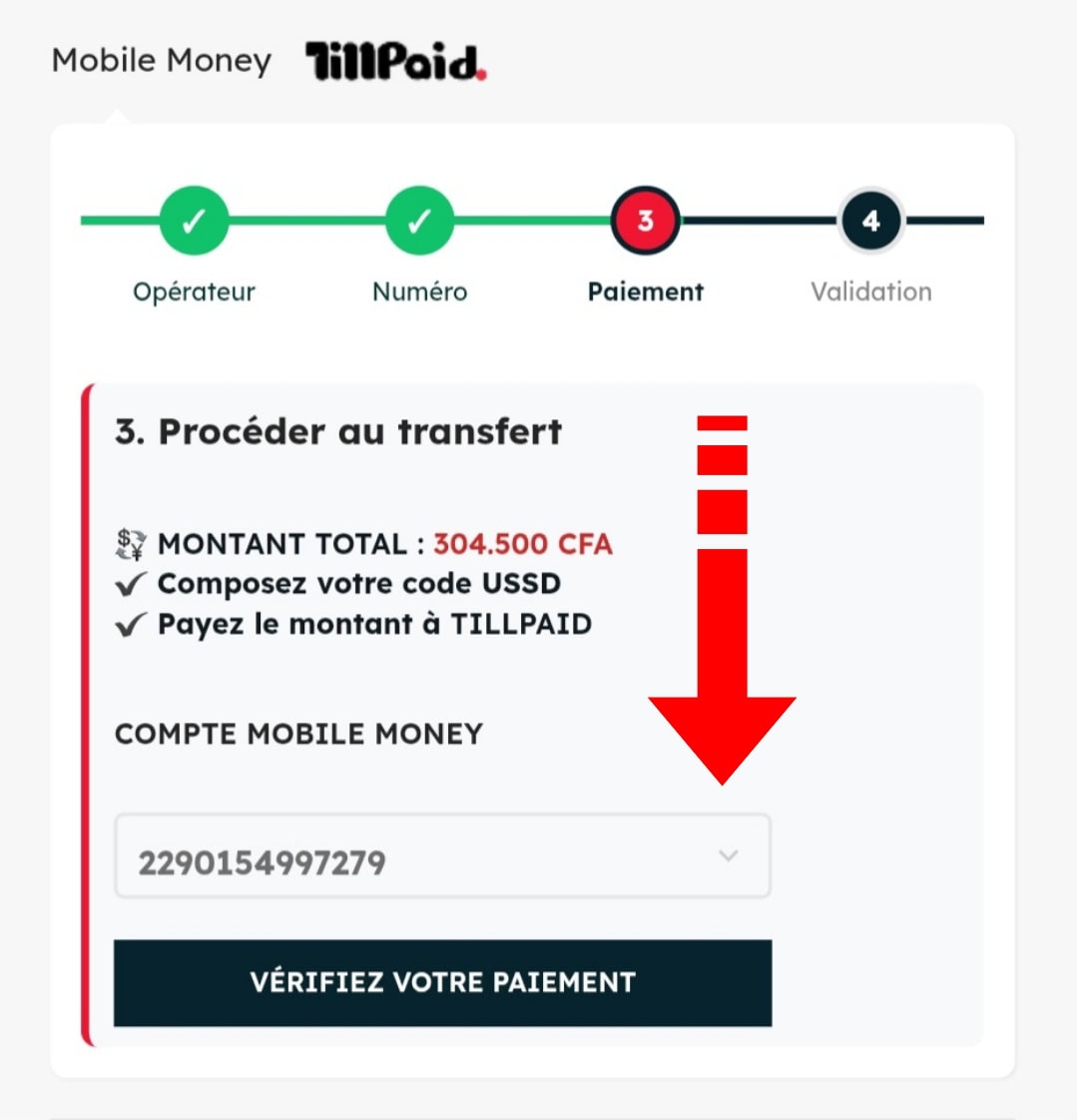
Automatic display of the information needed for payment.
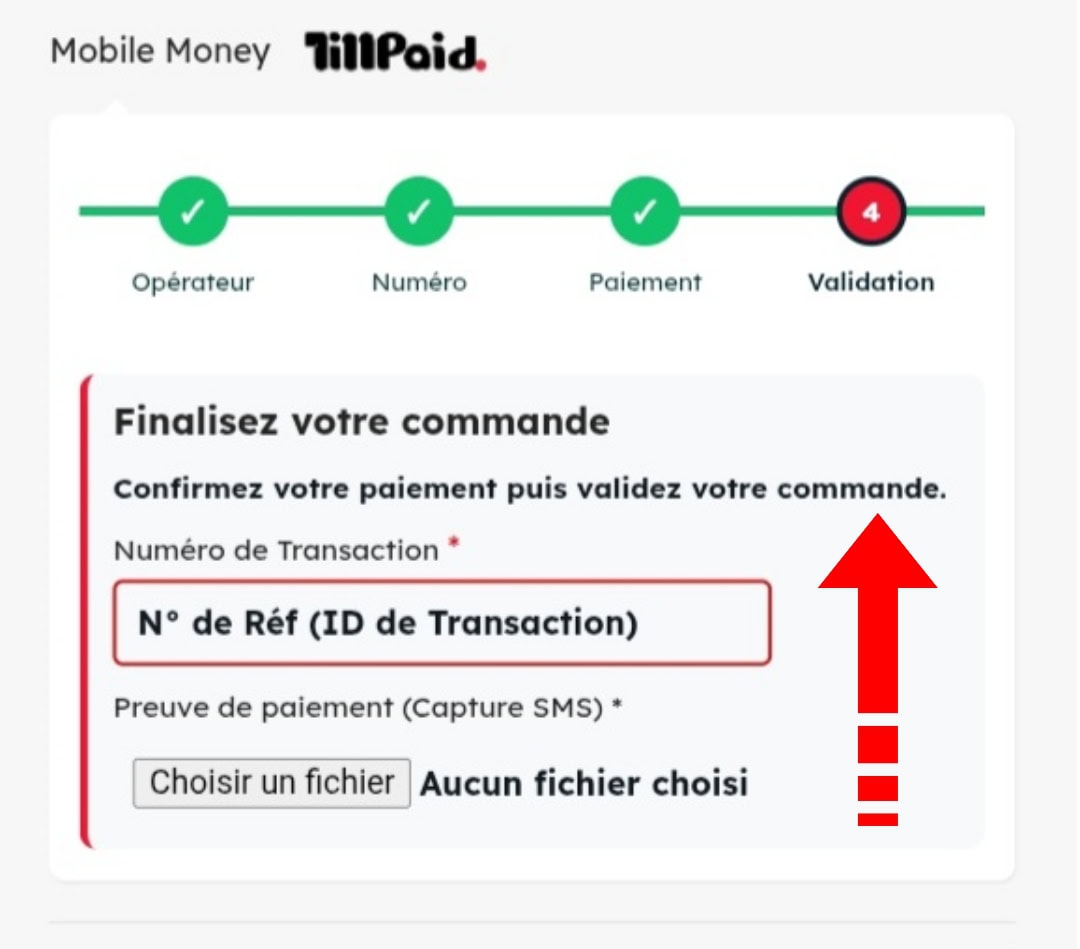
Payment confirmation by entering the Transaction ID and uploading the proof of payment.
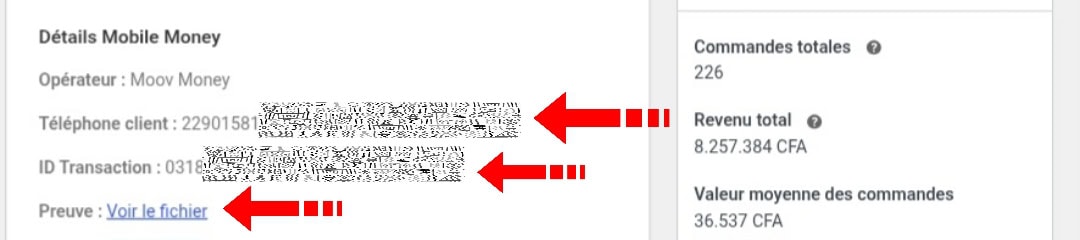
Dynamic display of payment information in the customer order form
Produits similaires



Cash2Cash Airtel : Paiement Airtel Money WooCommerce
49.900 CFALe prix initial était : 49.900 CFA.24.900 CFALe prix actuel est : 24.900 CFA.Cash2Cash Airtel est une extension wordpress pour boutique e-commerce fonctionnant sous WooCommerce qui permet aux autos entrepreneurs, d’accepter le paiement