
Documentation Cash2Cash Momo
Instructions Cash2Cash Momo
 Nous sommes heureux que vous nous ayez rejoints et que vous soyez intéressé par les solutions de paiements en ligne Till PayTech. Nous espérons que cette documentation ravivera en vous l’envie d’aller jusqu’au bout de votre achat. Avant de démarrer
Veuillez noter que le Cash2Cash Momo n’est pas un logiciel autonome. Il s’agit d’un module complémentaire à woocommerce et vous aurez besoin de la dernière version pour utiliser ses fonctionnalités.
Dans le cadre de notre support pour nos produits, nous avons mis à votre disposition un guide utilisateur complet à travers cette documentation. Il vous suffit de suivre ce guide étape par étape pour installer Cash2Cash Momo et commencer par recevoir sur votre site e-commerce avec MTN Momo, Moov Money, Orange Money, Airtel Money, Mixx Money, Celtiis Cash etc..
Fonctionnalités & Avantages
– Accepter les paiements des clients par mobile money
– Vérification deux facteurs (ID de Transaction et Preuve de Paiement) avec analyse de la preuve de paiement par un algorithme pour détecter les achats frauduleux.
– Automatisation des statuts de commande
– Reception directe des paiements
– Installation sans codage supplémentaire
– 0% de commission sur vos ventes
– Interface intuitive avec barre de progression
Conditions Requises:
– Un site WordPress fonctionnel
– Le plugin WooCommerce installé et activé
– Une version récente de PHP (idéalement PHP 8.0 ou plus)
– Un compte Mobile Money actif correspondant à l’opérateur que vous souhaitez recevoir (MTN MoMo, Airtel Money, Celtiis Cash, etc.)
Installation :
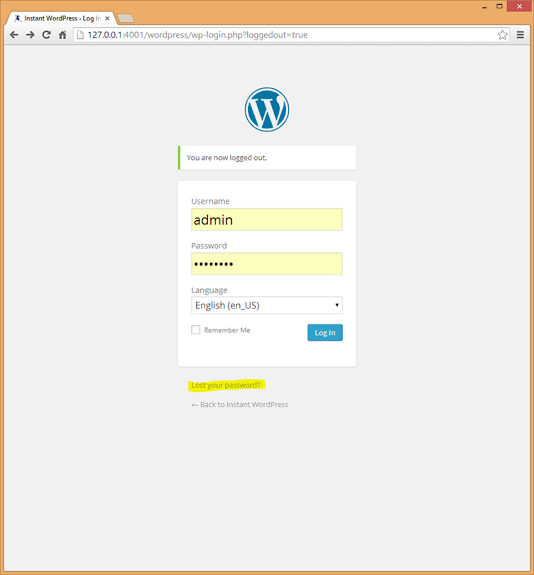
Connectez vous à l’espace admin de votre site wordpress.
 />
/>
Avancez le curseur sur Extension et cliquez sur ajouter extension.
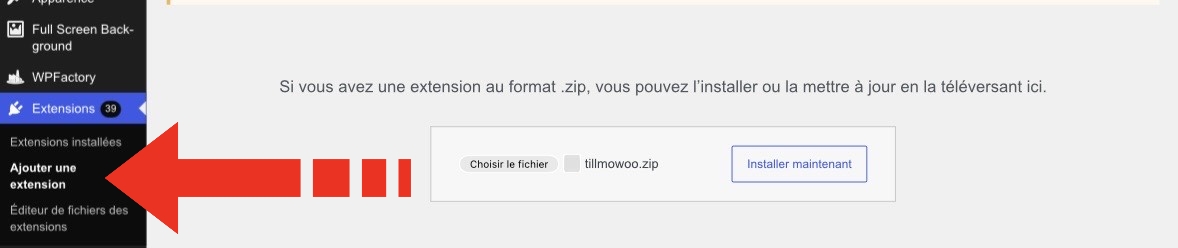 />
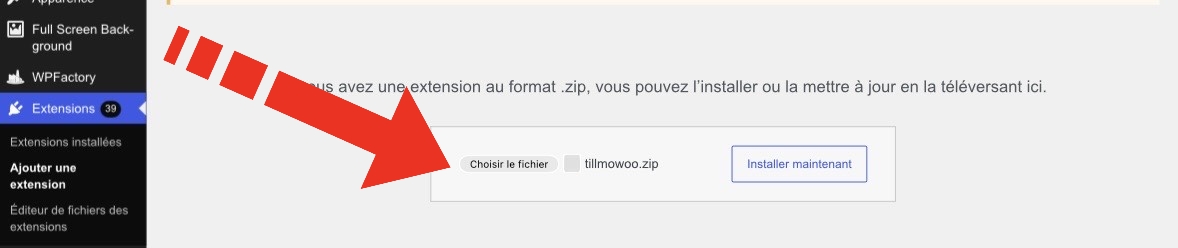
/>Cliquez sur téléverser fichier et ajoutez le fichier Cash2Cash Momo téléchargé apres achat du plugin opérateur .
 />
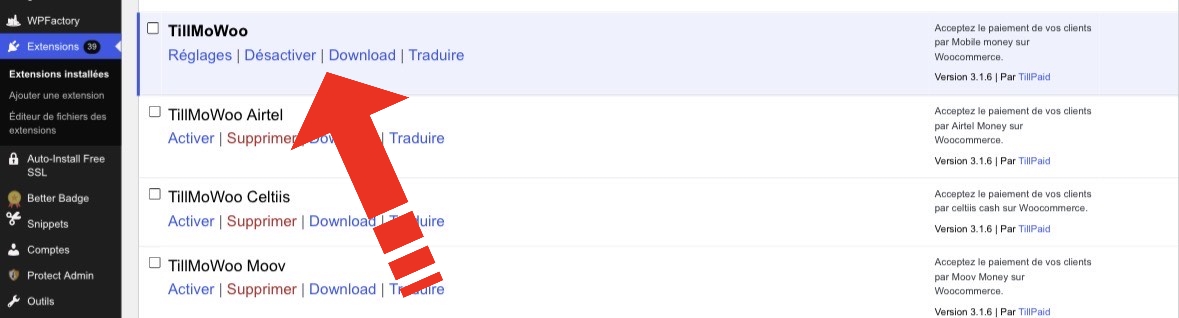
/>Activez le plugin après téléversement puis cliquer sur réglages.
 />
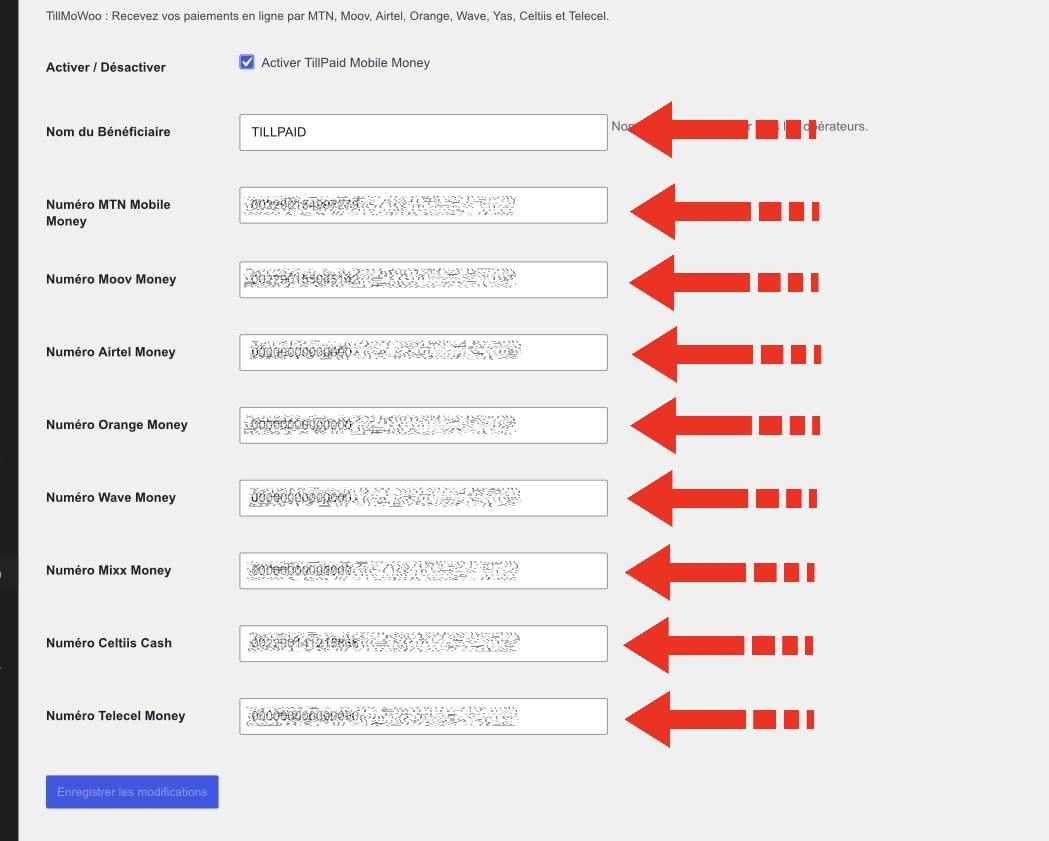
/>Paramétrez les données requises dans les réglages > paiement woocommerce
 />
/>Important !
Cochez la case “Activer” Cash2Cash Momo pour rendre le mode de paiement visible coté client.
Démonstration
Le mode démo permet de simuler en image le fonctionnement des plugins opérateurs Cash2Cash Momo sans effectuer de transactions réelles. Il permet de constater le processus de paiement afin de vérifier que l’installation, la configuration et le parcours client fonctionnent correctement.
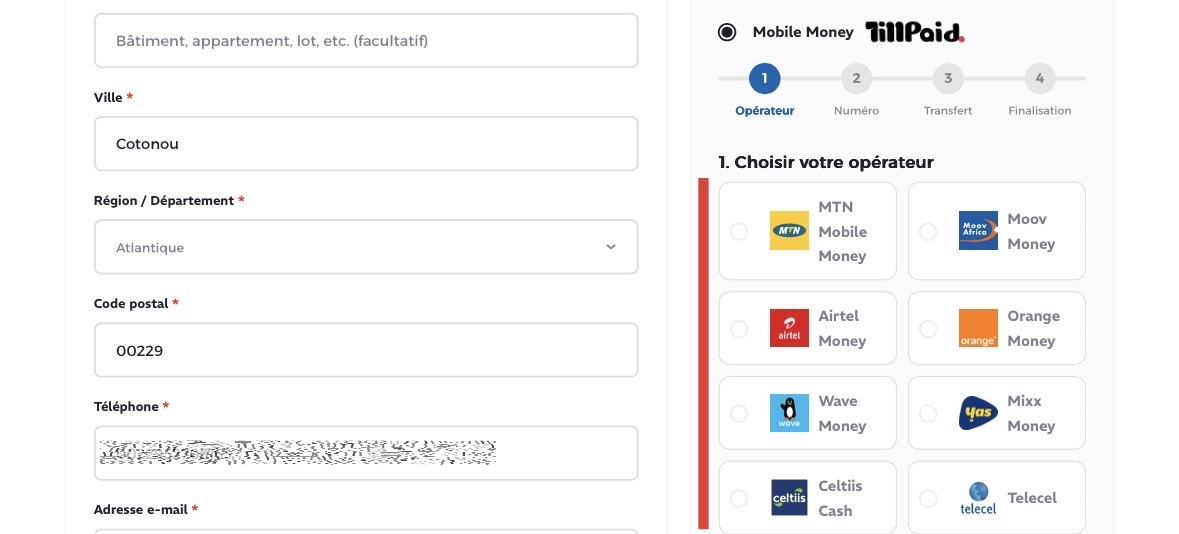
Lors de la validation de sa commande sur votre site e-commerce, le client sélectionne l’opérateur de son choix pour effectuer le paiement par mobile money .
 />
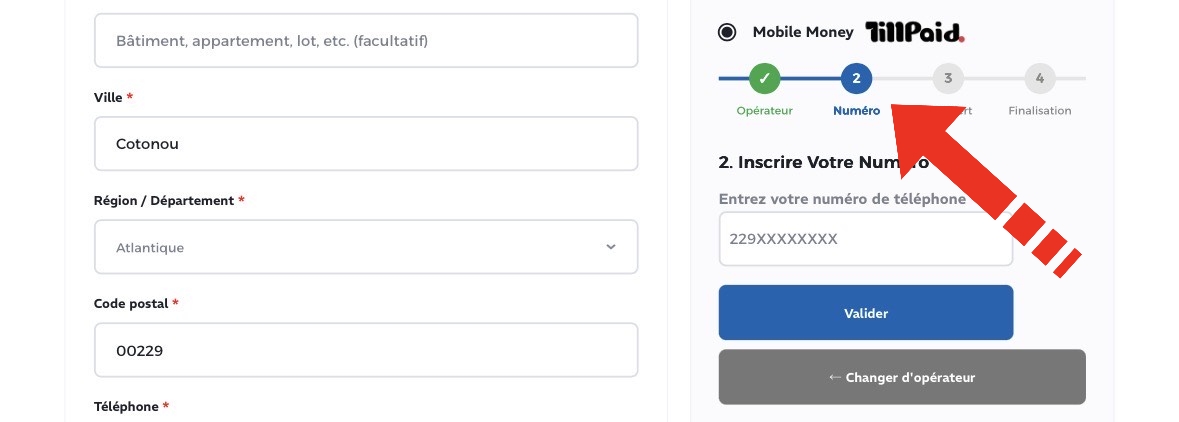
/>Il entre son numéro de téléphone puis valide pour aller à l’etape suivant avec une barre de progression pour lui indiquer les étapes franchies.
 />
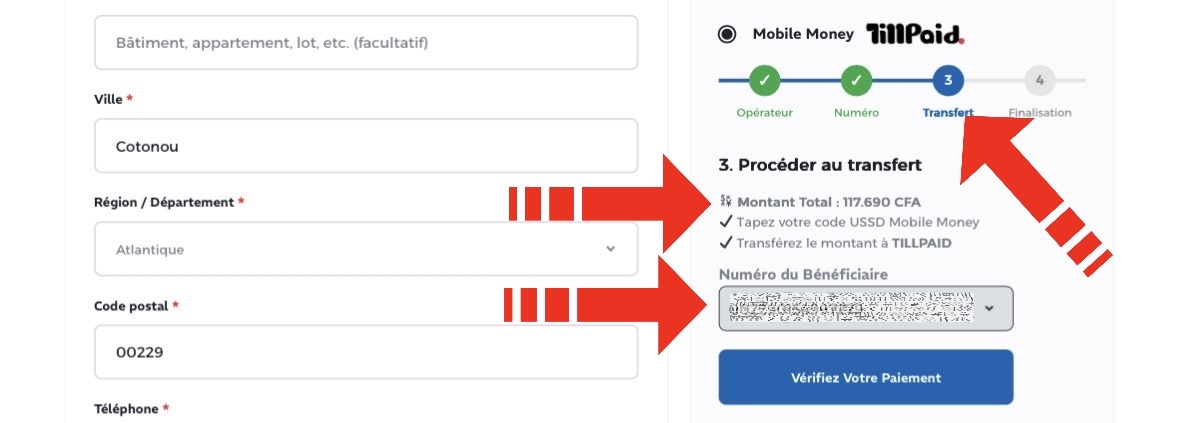
/>Le système indique le montant total de la commande du client et le numero mobile money du vendeur pour effectuer le paiement à la 3ème étape
 />
/>Le client effectue sur place le paiement et est ensuite redirigé vers l’étape de vérification du transfert avant de valider sa commande.
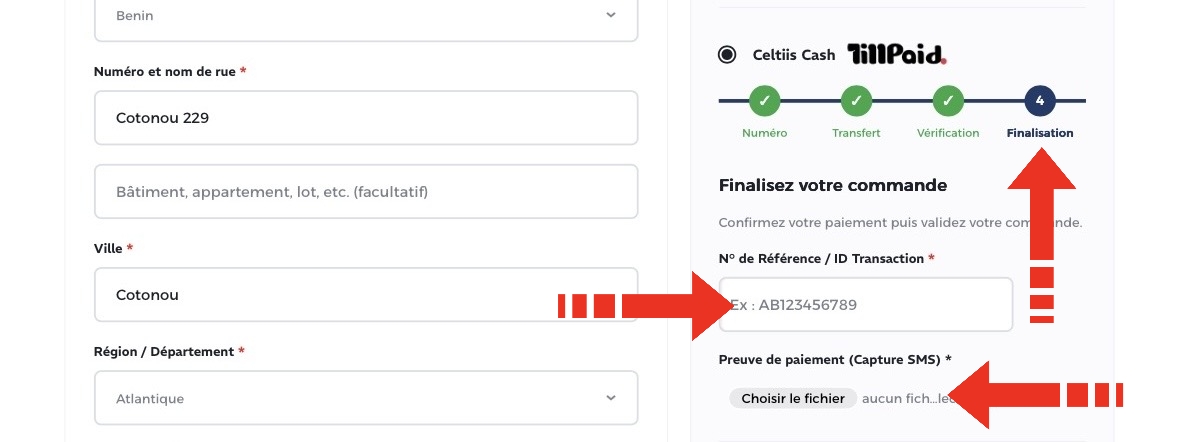 />
/>Le vendeur reçoit le paiement et contrôle la fiche de commande du client pour y vérifier l’ID de transaction du paiement et la preuve de paiement.
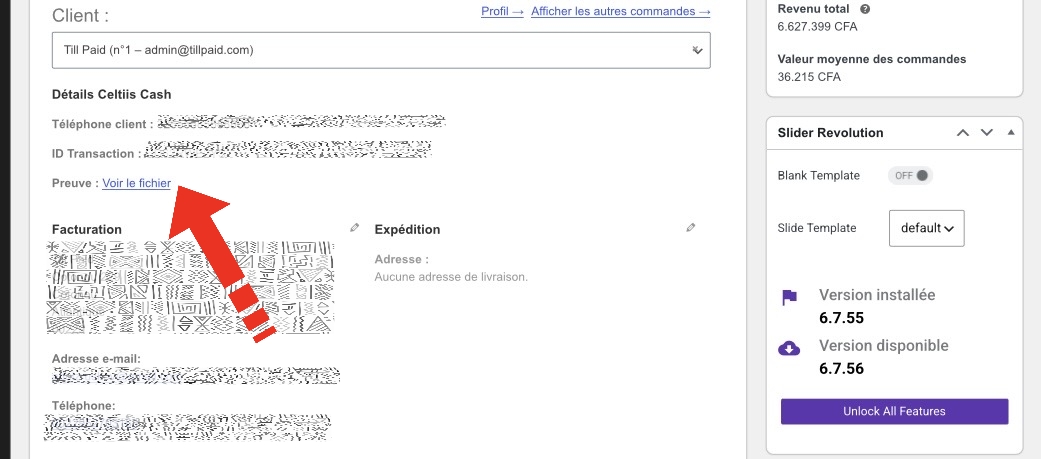 />
/>La commande est traitée avec succès et le client reçoit son produit.